
...
- In your web browser, visit the Employee Directory (http://employeedirectory/) and click the My Employees tab. Then click Employees, Contractors, or Volunteers, depending on the classification of the person for whom you want to submit a system access request.
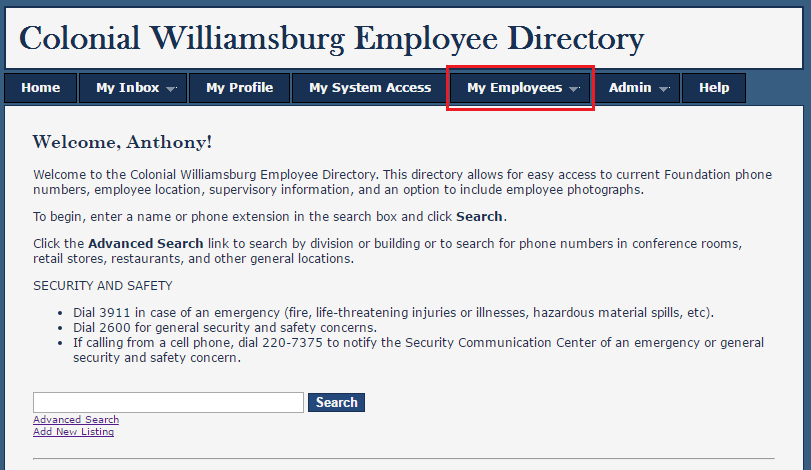

Find the person in the list and click the System Access link.
Warning Your new employee will not be listed until the hiring process has been completed by PTC. If an employee you expect to be listed isn't, please contact your HR generalist.
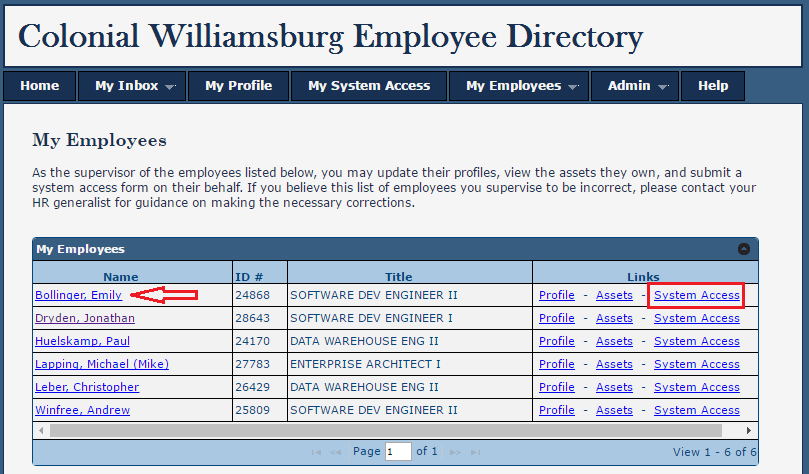

- A new tab will open displaying the person's System Access page. You should see listed the systems to which the person currently has access inside the gray tiles. A brand new employee will only have a CWF Computer Account. To add another system, click the Add System Access button.
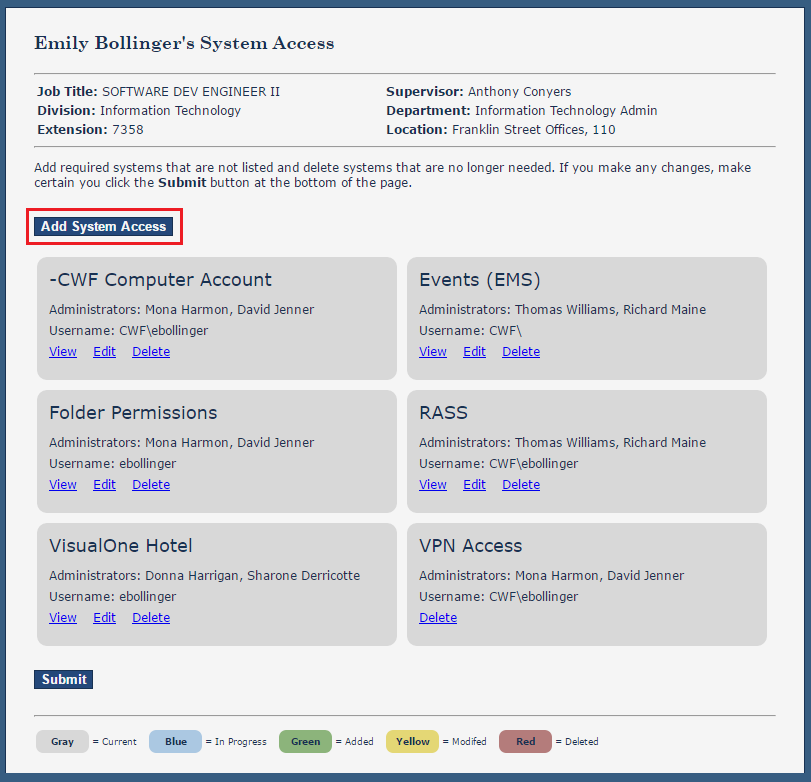

Select the system from the drop down box, answer all of the questions displayed (if any), and click the Save button.
Note In this example, we are adding the "Kronos / Option 88" system Folder Permissions" System Access for this user.

- The system will now appear on the page in a green tile.
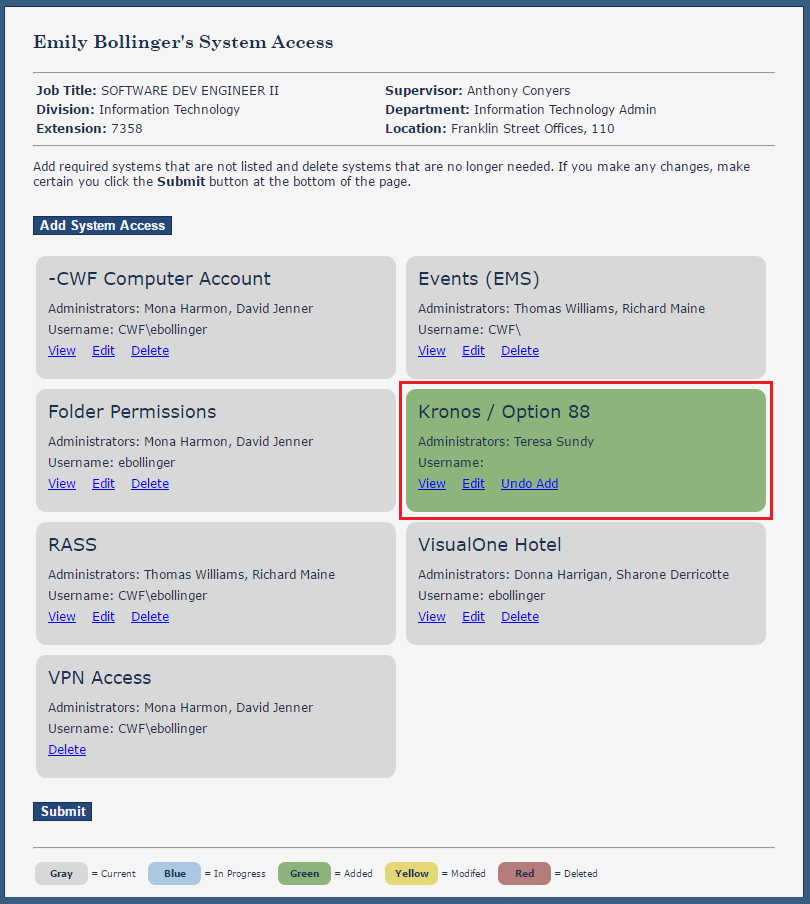

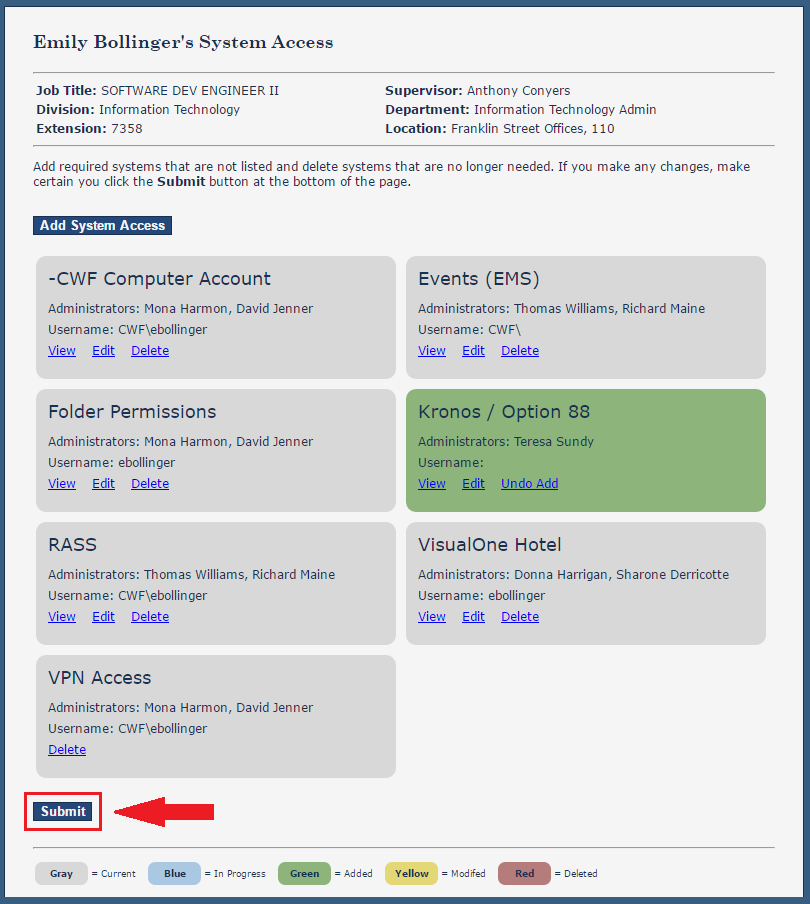
After you have made all the necessary changes to the person's page, meaning, you have added all the systems her or she will need access to, make sure to click the Submit button at the bottom of the page.
Warning Your request will not be submitted to the workflow until the Submit button is clicked.

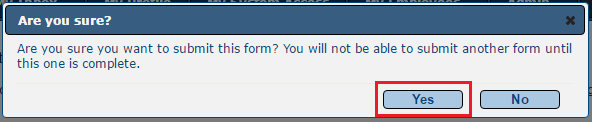
- You will be prompted to confirm you are sure you want to submit your request. If you have made all the changes you need to make, click Yes.

- The request must go through a workflow where tasks are created for certain individuals to approve your request as well as for the system administrators to grant the access within the system itself. You can check the status of this request at any time by following the steps in the How-to article, Employee Directory - Checking the status of a System Access Request.
...